CYBERSECURITY & BUSINESS CONTINUITY

Protect your business. Test your exposure. Prepare for what happens next.

Cybersecurity is not a single product. Effective protection requires multiple layers covering people, devices, identities, email, networks, applications and data. Iteology combines practical protection, authorised security testing, clear reporting and business-continuity planning to help organisations understand risk and improve resilience.

Connected Outcomes

Security that protects, tests and prepares

Each service can work independently or as part of a managed security programme, depending on the customer’s current risk, internal capability and operational priorities.

01

Protect

Reduce the likelihood and impact of attacks through layered controls across users, devices, identities, email, networks and data.

02

Assess

Identify exposure, vulnerabilities and configuration risks across approved systems so technical effort can focus on what matters first.

03

Recover

Prepare the organisation to respond, restore operations and keep critical services available when disruption occurs.

Business Risk

Business problems we solve

Weak protection around email, devices or identities
Internet-facing systems and services that have not been reviewed
Servers, routers or applications with unknown patch and configuration risk
Backups that have not been tested
Unclear recovery procedures
Security risk with no management visibility
Technical findings without a prioritised remediation plan
Managed Cybersecurity

Practical services for layered protection

Iteology helps businesses strengthen the controls already in place and close practical gaps across users, endpoints, networks, cloud platforms, backups and recovery procedures.

Managed endpoint protection

Endpoint protection for workstations and servers, with practical management of detections, exclusions and device coverage.

Firewall security

Firewall review, configuration guidance and ongoing management to reduce unnecessary exposure and improve segmentation.

Email filtering and protection

Email security controls that help reduce malicious attachments, impersonation attempts and risky message delivery.

Multi-factor authentication

MFA planning and rollout support for important accounts, administrative access and remote services.

Identity and access controls

User, group and privilege reviews that help reduce excessive access and improve account governance.

Vulnerability reviews

Authorised reviews of exposed systems, software versions and configuration risks against agreed scope.

Patch management

Patch visibility, prioritisation and follow-up support for operating systems, applications and managed infrastructure.

Security monitoring

Review of available logs, alerts and monitoring coverage so suspicious activity is easier to spot and escalate.

Backup and recovery

Backup status checks, restore validation and recovery planning for important systems and business data.

Disaster recovery planning

Practical recovery priorities, roles and steps for keeping the organisation moving during disruption.

User security awareness

Clear guidance for users on safer passwords, account protection, suspicious messages and everyday security habits.

Incident investigation and response coordination

Initial investigation support, evidence handling and coordination with the right internal and supplier contacts.

Authorised Automated Security Assessment

Understand what is exposed and what to fix first

Iteology performs authorised, scoped security assessments against agreed servers, domains, applications, accounts and network devices. Automated discovery and credentialed configuration checks are combined with controlled validation, evidence analysis and a detailed remediation report.

Automated assessment identifies observable weaknesses, exposed services and configuration risks at scale. Testing is limited to the signed targets, access and rules of engagement.
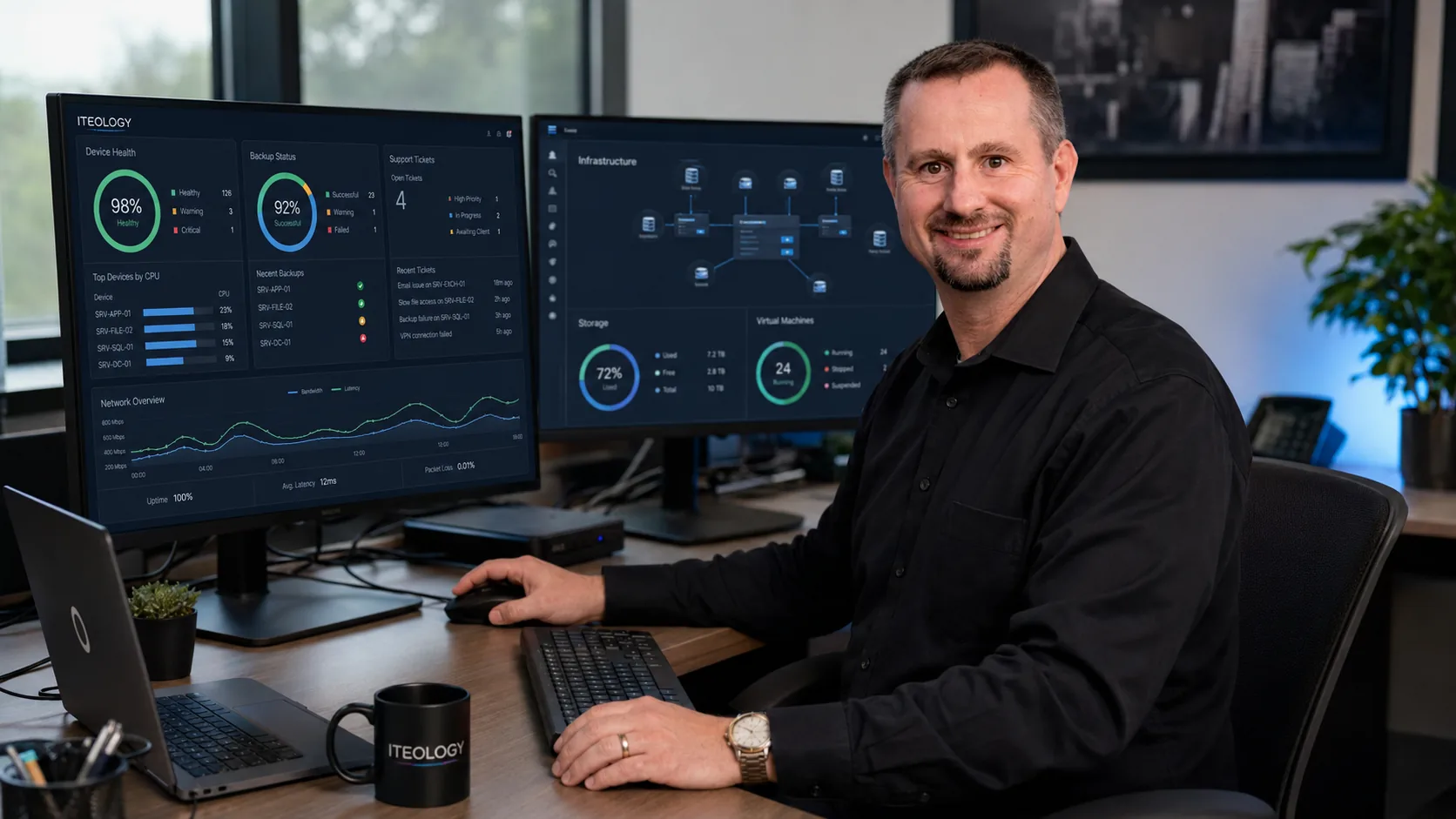
Iteology workstation used for security reporting and technical analysis
Assessment Modules

Repeatable checks for approved systems

Assessment modules are performed from an authorised Linux assessment server or a temporary internal assessment agent after the customer provides the required scope and access.

External infrastructure and attack surface Authorised external checks help identify public exposure across agreed domains, services and internet-facing systems.
  • Domain, subdomain and public-IP discovery
  • Public ports and service exposure
  • Service and technology fingerprinting
  • Known vulnerability checks
  • TLS certificates, protocols and ciphers
  • DNS and DNSSEC configuration
  • Exposed administration and management interfaces
  • Exposed databases, storage and services
  • IPv4 and IPv6 exposure
  • Backup files, default pages and directory listing
  • Public secret and repository exposure
  • External attack-path correlation
Web application, API, email and domain security Automated checks validate observable controls and supplied user roles without claiming bespoke business-logic testing.
  • Authentication and account-recovery controls
  • Session, token and multi-factor authentication checks
  • Automated role and access-control comparison using supplied test accounts
  • Common injection and browser-security checks
  • File upload, download and path controls
  • API, GraphQL and WebSocket exposure
  • CORS, CSP, caching and host-header controls
  • Error, debug and sensitive-data exposure
  • Framework and dependency vulnerabilities
  • SPF, DKIM, DMARC and mail-transport security
  • Domain, certificate and administrative-interface exposure
Linux server security audit Credentialed Linux checks review operating system, access, services, hardening, evidence and recovery readiness.
  • Distribution, kernel, architecture and lifecycle
  • Security updates and reboot requirements
  • Users, groups and privileged access
  • SSH configuration
  • Sudo and privilege-escalation conditions
  • Services, processes and listening ports
  • Firewall, IPv4 and IPv6 policy
  • File permissions, SUID/SGID and capabilities
  • Kernel hardening and SELinux/AppArmor
  • Web, database and application isolation
  • Docker/Podman daemon, images, mounts, privilege and secrets
  • Configuration secrets, keys and histories
  • Scheduled tasks and persistence locations
  • Logging, audit and endpoint-protection status
  • Backup, restore and encryption evidence
  • Indicators of compromise
  • CIS Benchmark comparison
Windows Server and Active Directory security audit Windows and directory checks require domain-specific written authority and an approved assessment account.
  • Windows version, lifecycle and updates
  • Microsoft security-baseline comparison
  • Local and domain users and administrators
  • Local and Group Policy
  • Firewall and remote access
  • RDP and Network Level Authentication
  • Defender and EDR posture
  • BitLocker
  • SMB, NTLM and obsolete protocols
  • PowerShell and Windows Event Log security
  • Services, scheduled tasks and startup persistence
  • Filesystem, registry and share permissions
  • IIS and SQL Server configuration where applicable
  • Active Directory password and Kerberos policy
  • Privileged groups, trusts, delegation and service accounts
  • Active Directory Certificate Services risk indicators
  • Backup and ransomware readiness
  • CIS and Microsoft baseline mapping
MikroTik RouterOS security assessment The standard MikroTik assessment is read-only. Configuration changes and firmware upgrades require a separate approved change plan and rollback path.
  • Router model, architecture, RouterOS version and installed packages
  • Firmware/update posture and known exposures
  • Users, groups, RADIUS and administrative privileges
  • Winbox, SSH, API and web management exposure
  • Allowed management source addresses
  • Certificates, keys and secure protocol settings
  • MAC server, neighbour discovery and Layer-2 management exposure
  • Input, forward, output and raw firewall policy
  • Address lists, connection tracking and NAT rules
  • Internet-facing services and port forwards
  • DNS resolver and cache exposure
  • DHCP and segmentation observations
  • IPsec, WireGuard, OpenVPN and other VPN settings
  • SNMP exposure
  • Routing exposure indicators
  • Logging, time/NTP, backup and configuration-export protection
Cloud, Microsoft 365, source code and platform Read-only configuration and code review modules help identify platform, dependency and public third-party exposure risks.
  • Microsoft 365 and Entra ID configuration
  • AWS, Azure and Google Cloud read-only configuration checks
  • Docker and Podman container security
  • Source-code static analysis
  • Dependency and SBOM analysis
  • Secret and credential detection
  • Infrastructure-as-code review
  • Firewall and network-device review
  • Public third-party exposure observations
Detection, backup and resilience Resilience checks connect security findings to backup health, monitoring coverage and measurable remediation progress.
  • Backup status and restore validation
  • Ransomware-readiness indicators
  • EDR/SIEM configuration and log-ingestion checks
  • Endpoint-protection exclusions
  • Patch and baseline remediation verification
  • Authorised internal-network discovery from a temporary scanner
  • Public breach and credential-exposure checks
  • Continuous external exposure monitoring
  • Scheduled patch and configuration-drift review
  • Remediation verification and optional paid retesting
Assessment Process

Controlled from scope to report

  1. 01

    Authorise

    Confirm asset ownership, written permission, responsible contacts, targets and exclusions.

  2. 02

    Scope

    Agree on systems, access, test modules, testing window and acceptable intensity.

  3. 03

    Prepare

    Confirm backups, protect temporary credentials, define emergency contacts and establish stop conditions.

  4. 04

    Test

    Run the approved external and credentialed checks from isolated assessment infrastructure.

  5. 05

    Analyse

    Correlate evidence, remove duplication, validate material findings and prioritise risk.

  6. 06

    Report

    Deliver executive and technical findings, remediation priorities and an optional paid retest path.

Testing Window

Testing scheduled around your operations

A standard active testing session runs for up to six hours. After-hours or weekend testing is recommended for production systems so testing can be managed around normal operational demand.

  • The customer supplies an emergency contact who can stop testing.
  • Current backups and a workable restore path must be confirmed before testing.
  • Testing stops if material instability or unexpected impact is observed.
Reporting Deliverables

Clear reporting for management and technical teams

Each finding records the target, timestamp, evidence, confidence, severity, impact, remediation, references and retest status.

Executive security summary
Overall risk and posture view
Asset and attack-surface inventory
Evidence-backed findings by severity
Affected systems and services
Business and technical impact
Detailed remediation instructions
Positive controls that passed
Testing limitations and inaccessible controls
Prioritised remediation roadmap
Optional paid retest and closure report
Operating Limits and Safety

Authority first. Safety throughout.

Written authorisation

Named targets and exclusions

Defined rules of engagement

Protected temporary credentials

Controlled non-destructive validation

Encrypted and access-controlled evidence

Emergency stop contact

Transparent limitations

Testing begins only after the final scope, access schedule, consent and rules of engagement are signed by an authorised asset owner.

Methodology Alignment

Mapped to recognised security guidance

Framework mapping supports risk management and audit preparation. It does not by itself constitute legal advice, formal certification, a PCI ASV scan or regulatory attestation.

NIST SP 800-115 OWASP Web Security Testing Guide OWASP ASVS 5.0 CIS Benchmarks Microsoft Security Compliance Toolkit NIST Cybersecurity Framework 2.0 MITRE ATT&CK for evidence and attack-path classification
Business Continuity

Prepare for disruption before it becomes a crisis

Security improvement must connect to recovery. Iteology helps organisations understand which systems matter most, how they are protected and how they can be restored when something goes wrong.

Backup strategy review
Restore testing
Recovery objectives
Disaster recovery planning
Ransomware recovery
Critical-system prioritisation
Supplier and dependency considerations
Incident roles and escalation
Recovery documentation
Periodic recovery exercises
Final Outcome

Security visibility you can act on

Clearer exposure

Understand the systems, services and controls that are visible or materially relevant to the agreed scope.

Prioritised remediation

Focus effort on the findings that carry the highest practical risk and strongest supporting evidence.

Better resilience

Improve backup, restore and recovery planning before disruption becomes a business crisis.

Measurable improvement

Use reporting, verification and retesting to show what has improved over time.

Next Step

Let’s understand your security requirements

Start with a practical conversation about your environment, risks and priorities. Iteology will help define the appropriate assessment, protection and continuity services without unnecessary complexity.

Privacy notice
We use analytics and advertising cookies to improve our website.
Privacy Policy